Lucia’s first visit to Moses is a chance to secure a personal vehicle, but the SUV used in the tutorial is not automatically the best car to register. The Montagne XL is there to teach the Slim Jim lockpicking mechanic. Your actual choice should depend on the vehicle’s tracker status and whether you want to keep driving it.
After completing Girls’ Trip, bring a suitable car to Moses at Watkins Auto Parts in Port Gellhorn. The first registration is free, so it is worth checking a few vehicles before using the offer. Taking time to choose the right car also helps you avoid unnecessary detours while working through early story progression. Players interested in broader progression options may also explore GTA 6 Boosting, but this garage visit has its own straightforward requirements.
Montagne XL Lockpicking Tutorial
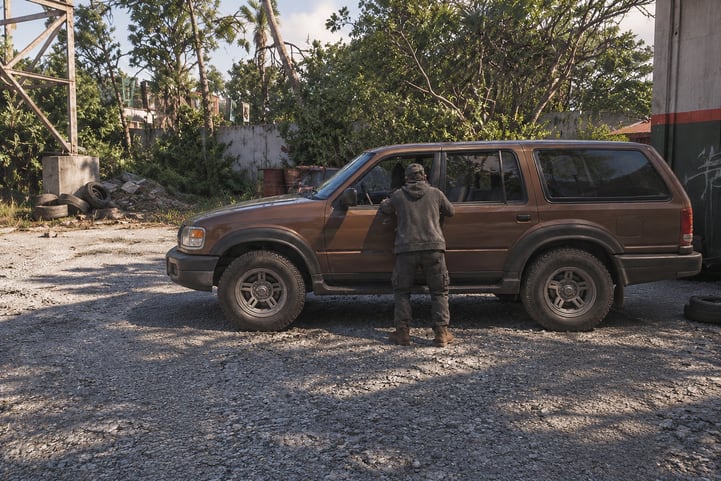
During the mission, Moses takes Lucia into the yard behind his garage and introduces three parked vehicles. After scanning them, pick up the Slim Jim from the crate near the tires.
Use the tool on the Montagne XL when the game prompts you. Interact with its door and move the right stick until the indicator reaches the correct position and turns pink. This demonstrates how to open a locked vehicle without triggering its alarm.
The Montagne XL serves a specific tutorial purpose. Completing this interaction does not mean you must make it Lucia’s personal vehicle. Leave the SUV in the yard and return to Moses to continue the registration process.
Keep the two objectives separate: the Montagne XL teaches you how to use the Slim Jim, while the registration choice determines which vehicle Lucia officially owns.
Use WAiNK to Check the Tracker Before Choosing
The most important part of this mission is learning to read the vehicle scan correctly.
Open the WAiNK app on Lucia’s phone and scan the vehicles in Moses’s yard. Pay particular attention to the TRACKER field, which identifies whether a vehicle has no tracker, a Standard Tracker, or an Advanced Tracker.
For the first registration, choose a vehicle marked NO TRACKER. Moses will not register a vehicle with a tracker installed.
Do not confuse the tracker result with the alarm status. A vehicle can have an alarm and still qualify for registration if it has no tracker. The Montagne XL demonstrates this distinction: it has no tracker, but it does have an alarm. The Slim Jim lesson is about opening its door quietly, not removing a tracker.
WAiNK also helps you avoid wasting time on unsuitable cars. Scan a vehicle before taking it to the garage instead of assuming that its appearance, class, or security level tells you whether Moses will accept it.
Which Car Should You Use for the Free Registration?
The best choice is an untracked vehicle that you actually want to keep. Since Moses covers the first registration, use the opportunity on a car that suits your preferred driving style rather than automatically choosing the nearest vehicle.
A practical selection process is:
- Scan the cars available around Port Gellhorn.
- Check the TRACKER field and rule out vehicles with Standard or Advanced Trackers.
- Consider the vehicle’s handling, size, and usefulness for the roads you normally drive.
- Take your preferred eligible vehicle to Watkins Auto Parts.
- If Moses accepts it, proceed with the registration.
If the car you initially brought has no tracker, you can use it for the first registration. If it has a tracker, Moses will require another vehicle. Find an untracked replacement away from the workshop and bring it back. Cars stolen too close to the garage can also be rejected, so search farther along the main road through Port Gellhorn rather than taking the first vehicle outside the shop.
Complete the Free Respray and Registration
Once Moses accepts your chosen vehicle, return to the garage and speak with him to access the vehicle services.
The process has two important steps:
Respray: Choose a different paint color when prompted. The first respray is included in the initial service.
Register: Open the registration option and confirm the vehicle. Moses swaps the plates and registers it as Lucia’s personal vehicle. The first registration is free.
Wait for the ownership notification confirming that Moses has registered the vehicle. This message is the clearest indication that the process is complete.
Afterward, the Scooter Bros app becomes available on Lucia’s phone. You can use it to manage her registered vehicles and request delivery, making the new car easier to access during later activities.
A Simple Rule for Future Vehicle Searches
The lesson from Moses is useful beyond this first garage visit: being able to drive a vehicle does not mean it qualifies for registration. A car may be unlocked, drivable, and even free of an alarm, yet still be rejected because it has a tracker.
Make WAiNK part of your normal vehicle-search routine. Check the tracker field first, then decide whether the car is worth taking. This saves unnecessary trips and helps you build a personal garage around vehicles you genuinely want to use.
With the first registration handled, Lucia has a personal vehicle and access to Moses’s vehicle services. This is a story-mode ownership feature, separate from online progression and account access. GTA 6 Online Accounts serve a different purpose and should not be confused with Lucia’s personal vehicle registration in the single-player campaign.